¶ Shopify Theme Backup Management
¶ Overview
This feature allows merchants to enable, create, manage, restore, and delete Shopify theme backups directly from the Edit Organisation page, ensuring theme safety and quick recovery when required.
¶ Feature Flow
-
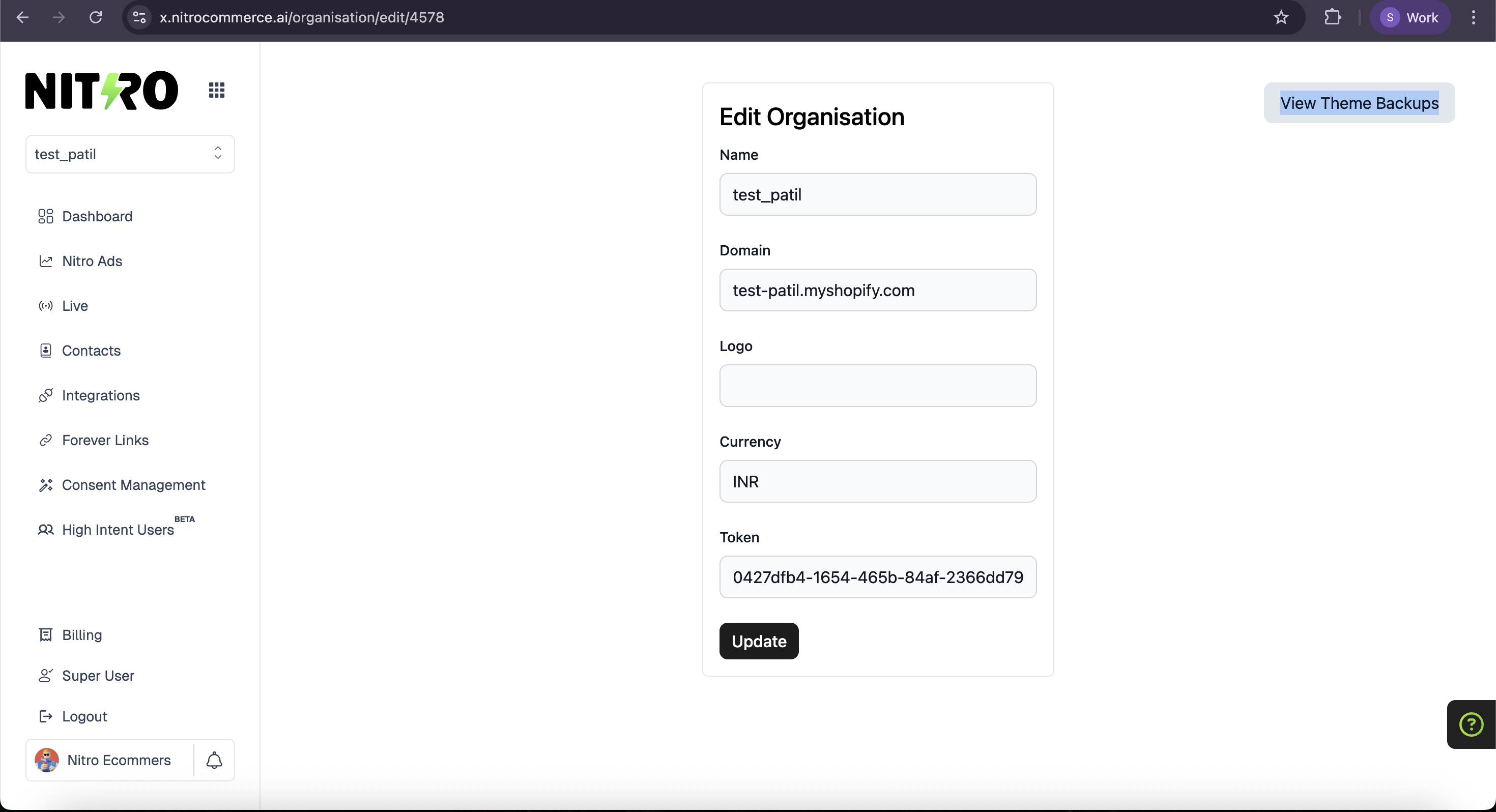
When the user visits the Edit Organisation page, a View Theme Backups option is displayed.
-
Clicking View Theme Backups opens the Shopify Theme Backup interface.
-
The initial screen displays an Enable Theme Backup button.
-
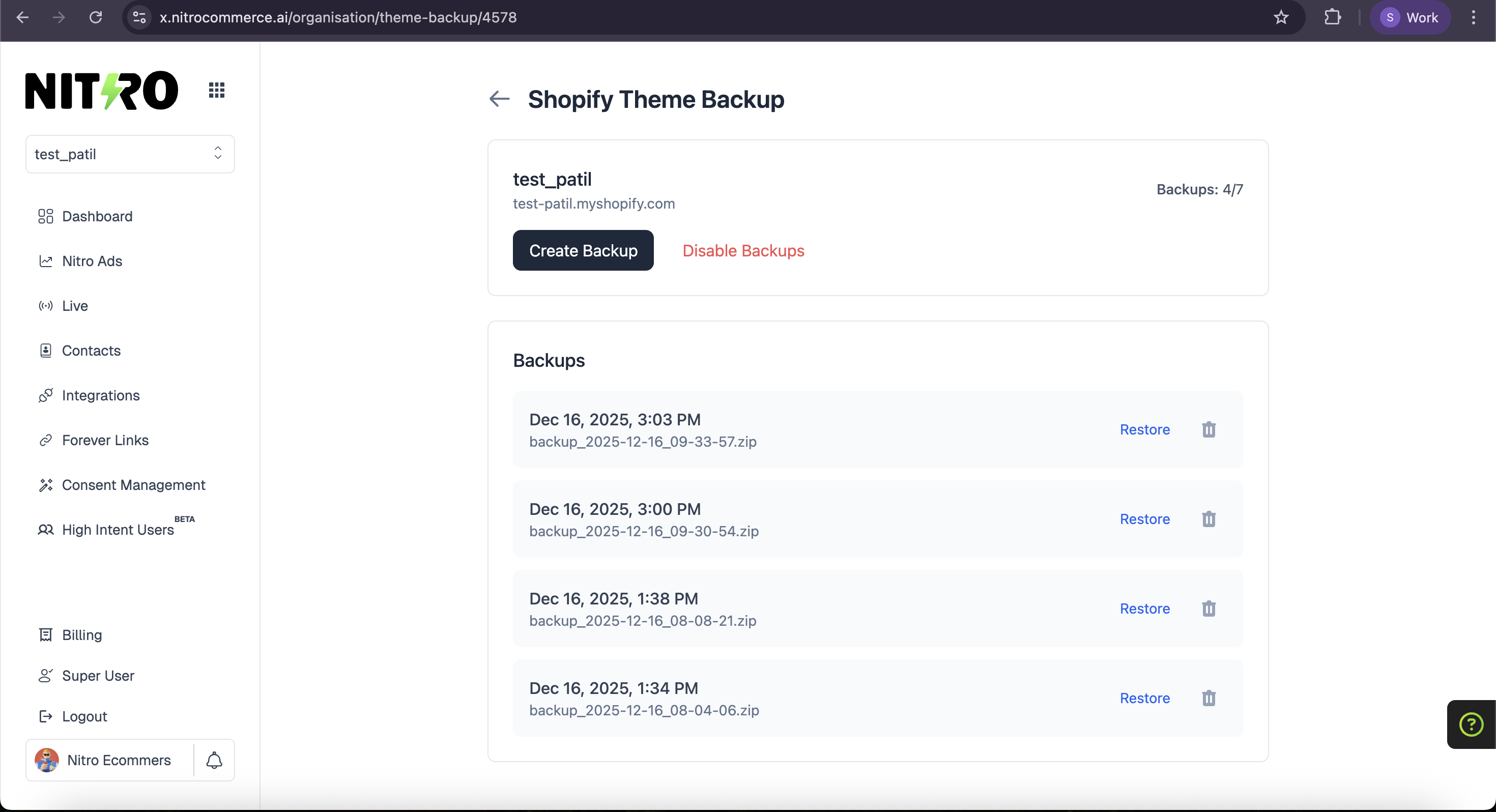
Once Theme Backups are enabled, the user is shown:
- Store name
- Total backup count
- Create Backup button
- Disable Backups button
- A list of previously created theme backups
-
On clicking Create Backup, a backup of the store’s current active Shopify theme is created successfully.
-
Each backup in the list displays:
- Backup creation date and time
- Restore Backup option
- Delete Backup option
-
Clicking Restore Backup restores the selected theme backup.
-
Clicking Delete Backup permanently removes the selected backup.
-
Clicking Disable Backups disables the backup feature and redirects the user back to the initial main screen with the Enable Theme Backups option.
¶ Key Benefits
- Ensures theme safety before changes
- Allows quick rollback to previous theme versions
- Simple and intuitive backup management